The right recording
ISRC first, then title, artist and duration. Remasters and live versions don't get mixed up.
Playlist converter
Convert, merge and sync your playlists between Spotify, Apple Music, Tidal and Deezer. The same recording, not a lookalike.
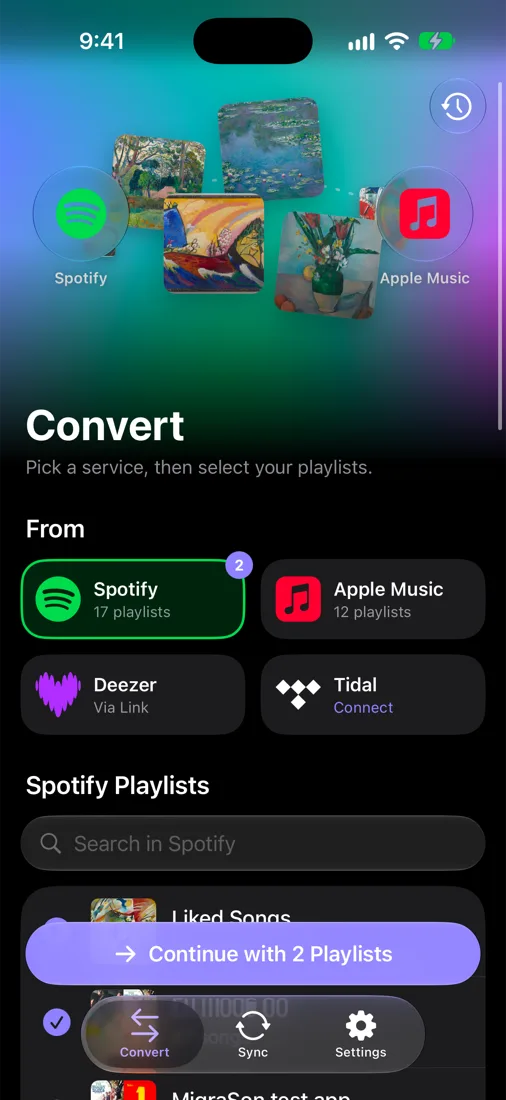
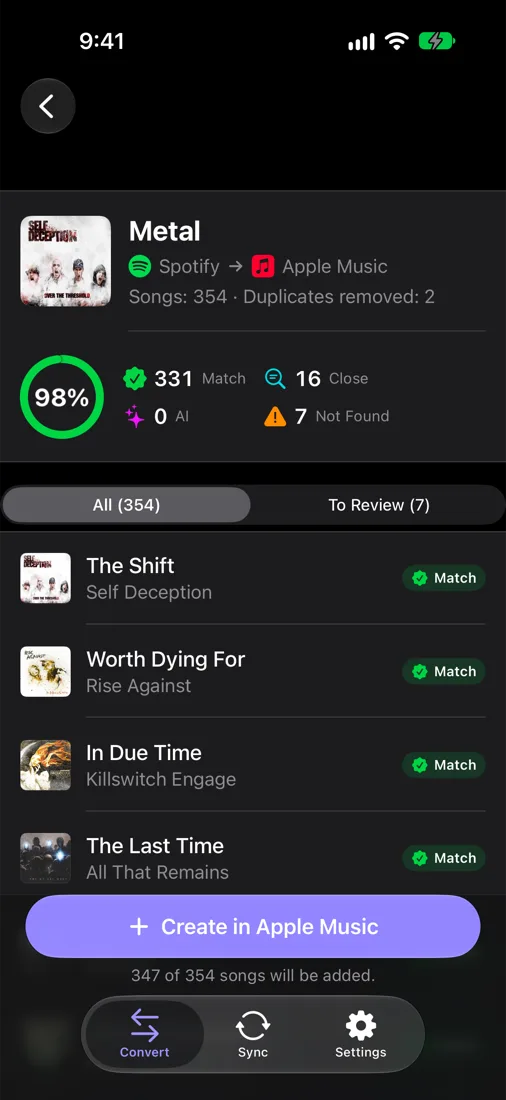
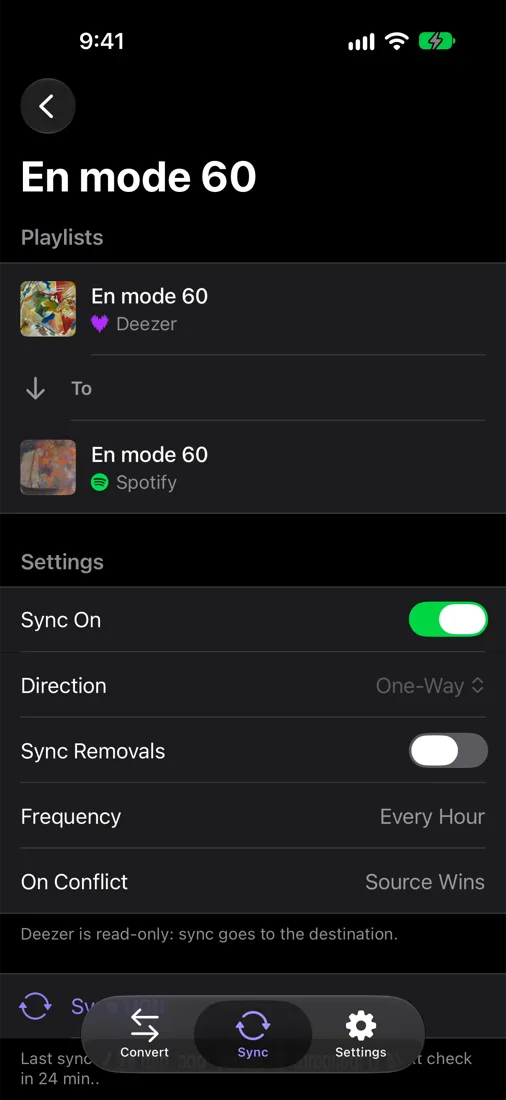
MigraSon finds every track by its ISRC, the recording's unique code, and shows you everything it did.
ISRC first, then title, artist and duration. Remasters and live versions don't get mixed up.
Match, Close, Not found: every line is explained. When in doubt, you pick.
Several playlists from several services become one, duplicates removed, in the order you want.
Add a song on one side, it shows up on the other. Checked every hour, undoable for 30 days.
Encrypted access, no ads, no tracking. Delete your account in one tap.
From Arabic to Japanese, MigraSon speaks your language.
Any service to any other: pick the source and the destination, MigraSon does the rest.
Deezer works as a source: its public playlists convert to Spotify, Apple Music or Tidal.
Pick them in Spotify, Apple Music or Tidal, or paste the link of a public Deezer playlist.
MigraSon looks up every track on the destination and shows you what it found.
The playlist appears in your service. Turn on sync to keep it up to date.
Spotify, Apple Music and Tidal (read and write), Deezer (public playlists by link). More services arrive as soon as their access opens.
Connect Spotify and Apple Music in MigraSon, tick the playlist, pick Apple Music as the destination and tap Analyze. Check the report and tap Create: the playlist appears in your Apple Music library. Every other direction works the same way.
By ISRC, the unique code of each recording, available on Spotify, Apple Music, Tidal and Deezer. Without one, it compares title, artist and duration, and shows you the doubtful ones so you can pick.
Yes. Syncs run on MigraSon's server every hour, without the app open. Every change is logged and can be undone for 30 days.
Spotify limits new apps to a handful of accounts. For now, each user creates their own free access in two minutes; the app guides you step by step. Spotify requires a Premium account.
Deezer no longer accepts new apps. MigraSon reads public playlists through Deezer's official API but can't create playlists there yet.
Yes. Conversions and merges are free and unlimited.
It keeps your service access and conversion history, encrypted, only to do what you ask. No ads, no reselling. Details in the privacy policy.